6510 Assembly Explainer
Learn how the Commodore 64 processor works, one instruction at a time
Learn 6510 assembly programming on the Commodore 64
Assembly language is how the C64 was truly unlocked. Every fast game, every demoscene effect, every SID tune was written by programmers who spoke directly to the 6510 processor.
This interactive tool teaches you the fundamentals. Type a 6510 instruction and watch the processor registers update in real time. Step through example programs one instruction at a time to see exactly what the CPU does at each step.
No installation required. The simulator runs entirely in your browser and supports the most commonly used 6510 instructions, from loading values and doing arithmetic to incrementing counters and transferring data between registers.
Shop on Amazon
Find Commodore hardware, games, books and accessories. Browse the full range on Amazon.
Assembly language and the MOS 6510 processor
Assembly language is one step above machine code. Each instruction maps directly to a single operation the CPU can perform: load a value, add two numbers, store a result. The 6510 in the C64 is an 8-bit processor, meaning it works with values from 0 to 255 at a time.
The 6510 is a variant of the MOS 6502, the same processor family used in the Apple II, BBC Micro and Atari 8-bit computers. Commodore chose it because they owned MOS Technology, the company that designed it. The 6510 added an 8-bit I/O port used for bank-switching: the mechanism that allows the C64 to switch between ROM and RAM in the same address space.
Learning 6510 assembly helps you understand why C64 games ran so fast, how the hardware was pushed far beyond its designed limits, and why 8-bit programming is still studied and written by enthusiasts today.
How the C64 memory map is organised▶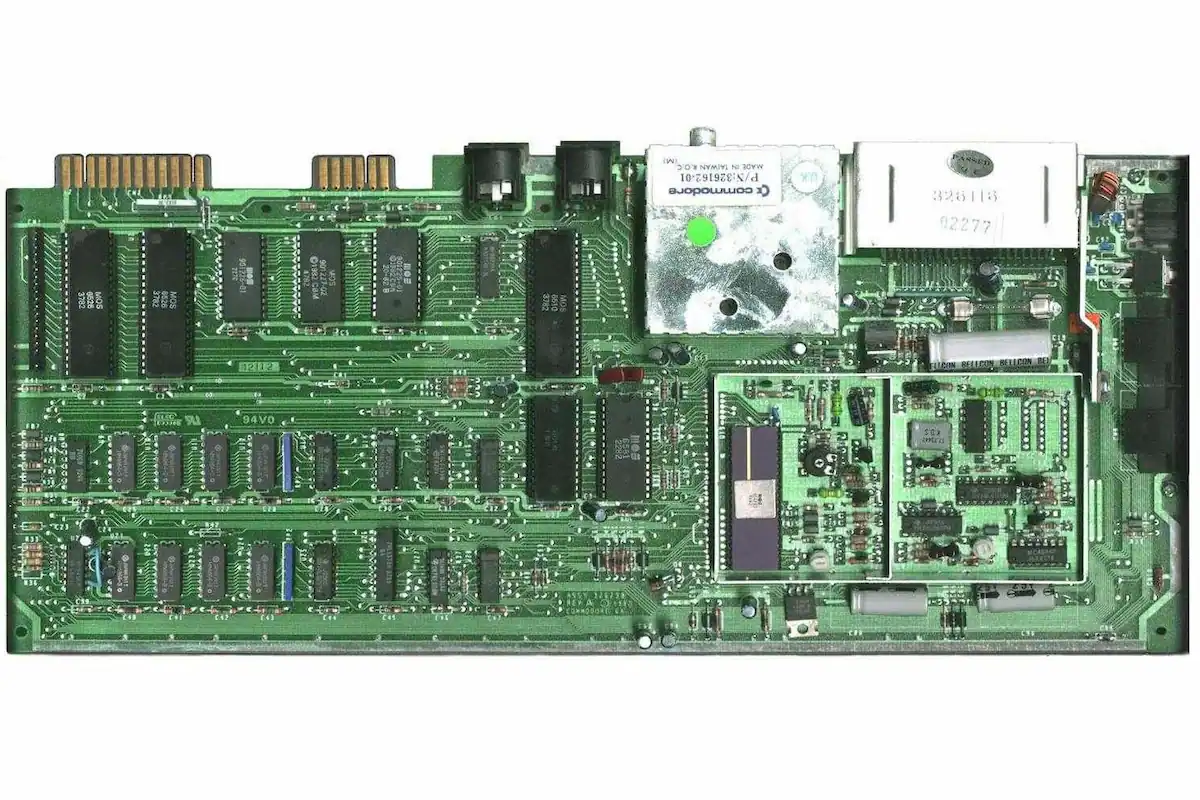
The 6510 registers: where the CPU does its work
A register is a tiny piece of storage built directly into the processor, far faster to access than any memory address. The 6510 has three working registers. The Accumulator (A) is the main register: almost all arithmetic and logical operations pass through it. The Index registers X and Y are used for counting, looping and addressing.
The Stack Pointer (SP) tracks the top of the hardware stack, the area of memory the CPU uses automatically when calling subroutines and handling interrupts. The Program Counter (PC) holds the address of the next instruction the CPU will execute.
The Status Register holds a set of one-bit flags. The most important are Zero (Z), set when the last result was zero; Negative (N), set when the result had its high bit set; and Carry (C), used in multi-byte arithmetic and as a general-purpose boolean flag.
The history of the Commodore 64▶6510 Assembly Simulator
Type a 6510 instruction and press RUN to execute it, or select an example program and step through it one instruction at a time. The register display updates after every step.
REGISTERS
A
$00
X
$00
Y
$00
SP
$FF
PC
$0801
N
0
Z
1
C
0
V
0
TRY AN INSTRUCTION
Type an instruction and press RUN or Enter. Try: LDA #$42, INX, ADC #$0A
EXAMPLE PROGRAMS
Select a program above, then use STEP to execute it one instruction at a time.
INSTRUCTION REFERENCE
Load a value into the accumulator. Immediate mode (LDA #$42) loads the value directly. Zero page mode (LDA $20) loads the byte stored at that memory address.
FLAGS: N, Z
Load a value into the X register.
FLAGS: N, Z
Load a value into the Y register.
FLAGS: N, Z
Store the accumulator value at a memory address. A is not changed.
FLAGS: None
Store the X register at a memory address.
FLAGS: None
Store the Y register at a memory address.
FLAGS: None
**** FREQUENTLY ASKED QUESTIONS ****
READY.
Explore more C64 Lab tools
The 6510 Assembly Explainer is one of many interactive tools in C64 Lab. Draw sprites, compose sounds, explore the memory map and play arcade games, all in your browser.
Open C64 Lab▶